
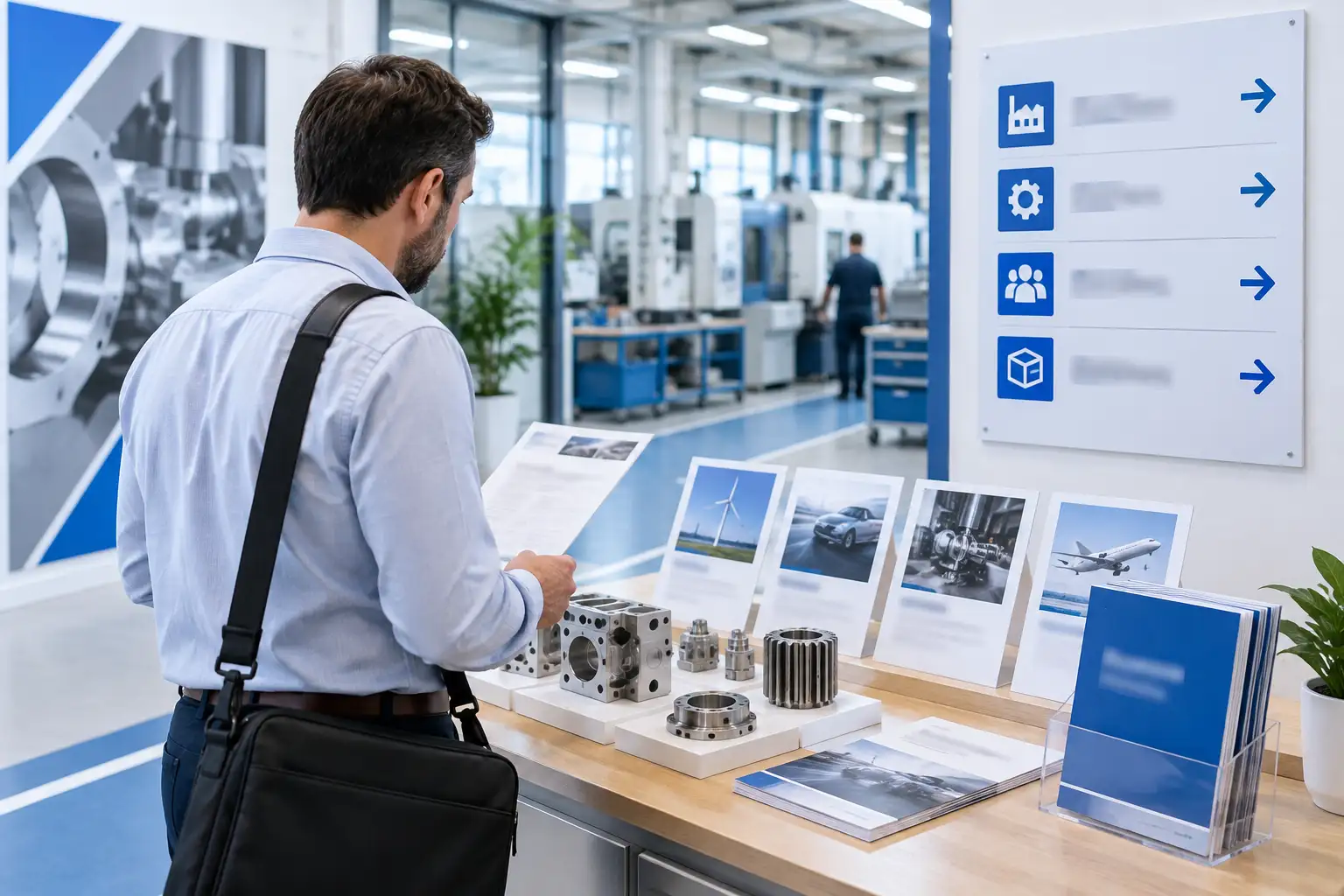
A manufacturing buyer may arrive at your website with a specific question already in mind. They may need to confirm whether you work with a particular material, serve a particular sector, meet a required specification or handle a certain production process.
If the answer is difficult to find, the buyer has to work too hard to understand whether your business is relevant. They may leave before making contact, even if your capabilities are a good fit.
An effective manufacturing website is not simply a digital brochure. It should help technical and commercial visitors move from an initial question to a confident next step. That means giving careful attention to navigation, technical information, sector content and enquiry paths.
Start with the questions buyers need to answer
Manufacturing websites often try to communicate everything at once. They list machinery, processes, materials, accreditations, industries and product groups on the same page, but do not always explain how those details relate to a buyer’s situation.
A more useful approach is to organise the website around the questions buyers are likely to ask:
- What does this business manufacture or supply?
- Can it support my type of project?
- Does it work in my sector?
- Can it meet the required technical, quality or delivery expectations?
- Has it handled similar work before?
- What information should I provide when making contact?
- What happens after I submit an enquiry?
These questions can become the foundation for the website structure. They also help distinguish useful content from information that is included simply because it is available internally.
Make the main navigation reflect buying journeys
Navigation should help visitors recognise where to go next. A manufacturing website may need sections for capabilities, products, sectors, processes, technical information, case studies and contact. The exact structure will depend on the business, but the principle is consistent: use labels that make sense to buyers rather than internal terminology alone.
For example, a visitor may understand “Capabilities” more quickly than an internal department name. They may also expect to find their industry under “Sectors” or “Industries”, rather than having to search through a long list of product pages.
A clear navigation system should:
- Group related information into understandable sections.
- Keep important pages within a small number of steps from the main menu.
- Use consistent labels throughout the website.
- Provide useful links between products, processes, sectors and evidence.
- Work properly on mobile devices as well as larger screens.
- Make the contact or enquiry route easy to find from every important page.
Mega menus and large dropdowns are not automatically helpful. They can become overwhelming if they contain every page on the website. A shorter, prioritised navigation structure is often easier to use, supported by contextual links within the page content.
Structure technical information for different levels of knowledge
Technical buyers may want precise information, but not every visitor will understand specialist terminology immediately. A good manufacturing website should provide enough detail to support evaluation while explaining the context clearly.
A useful page structure might include:
- A plain-English summary
Explain what the product, process or capability is and who it is for.
- Relevant applications
Show where it is used, which sectors it supports or what type of project it may suit.
- Technical details
Present materials, dimensions, tolerances, capacities, finishes, standards or other relevant specifications in a clear format.
- Practical considerations
Explain lead times, minimum quantities, customisation, design support, testing or delivery information where applicable.
- Evidence and related information
Link to relevant case studies, processes, product groups or sector pages.
- A clear next step
Tell the buyer how to request further information, discuss a project or submit specifications.
Tables can be useful for structured information, but they should not become difficult to read on smaller screens. Where a specification is complex, consider using grouped sections, downloadable documents or expandable areas alongside a concise explanation.
It is also important to explain what technical information means in practice. A list of standards or capabilities may demonstrate expertise, but a short explanation of how that helps the customer is more useful.
Help visitors find the right product or capability
Manufacturing websites can have complex ranges. A buyer may know the application but not the product name. Another may know the required material or specification but not the internal term used by the manufacturer.
This is why information should be accessible from more than one route. A product or capability might be found through:
- Product categories.
- Materials.
- Applications.
- Industries or sectors.
- Processes.
- Search.
- Related products or services.
- Technical resources.
These routes should lead to consistent information rather than separate pages that repeat the same content with minor changes. If several pages describe similar capabilities, clarify the difference between them and guide visitors towards the most relevant option.
Search can also be valuable on a large manufacturing website, particularly where there are many technical terms, product codes or downloadable documents. However, search should support a clear structure rather than compensate for poor navigation.
Create sector pages that contain real value
Sector pages are useful when they help a visitor understand how your business works in their environment. They should not simply replace the name of an industry in a generic paragraph.
A useful sector page could explain:
- The types of requirements common in that sector.
- Which products, processes or capabilities are relevant.
- How quality, compliance or delivery considerations may affect projects.
- What experience or evidence is available.
- Which questions the buyer should consider before making contact.
For example, an engineering buyer may be interested in tolerances, repeatability and technical collaboration. A packaging-related buyer may be more concerned with integration, throughput, reliability and spare parts. The content should reflect the language and priorities of the sector without becoming unnecessarily full of jargon.
Sector pages should also connect clearly to the rest of the website. Link to relevant product pages, capabilities, case studies and enquiry routes so that visitors can continue their research without returning to the main menu each time.
Make enquiry paths appropriate to the buying process
A single generic contact form is rarely enough for every manufacturing enquiry. Buyers may want to request a quotation, ask a technical question, discuss a bespoke requirement or send drawings and specifications.
The website should make these options understandable. Possible routes might include:
- Request a quotation.
- Discuss a project.
- Ask a technical question.
- Request product information.
- Contact a regional or sector specialist.
The form itself should ask for enough information to help the business respond, but not so much that it becomes a barrier. Useful fields might include the organisation, contact details, project type, relevant product or capability, timescale and an area for additional information. If files are important, explain what can be uploaded and why.
Every enquiry path should set expectations. Tell the visitor what happens after submitting the form, which information will be useful and whether a member of the team will need to clarify the requirement. Clear expectations help the enquiry feel like the start of a process rather than a message disappearing into a system.
Telephone and email details should remain visible for visitors who prefer direct contact. A well-designed website supports different ways of making contact rather than forcing every buyer through one route.
Reduce friction with performance and accessibility
Usability is also affected by the technical foundations of the website. Pages containing large product images, technical documents or embedded media need to load reliably. Slow pages can make it harder for buyers to compare information and may discourage visitors using mobile devices.
Accessibility matters for the same reason. Clear headings, logical page structure, readable contrast, descriptive links, usable forms and keyboard-friendly interactions make the website easier for more people to use. They also improve the clarity of the content for visitors who are scanning quickly.
Downloadable documents should be reviewed regularly. An outdated specification sheet, broken link or missing document can create uncertainty at a critical point in the buying process.
Test the website with realistic buyer tasks
The best way to assess usability is to give people practical tasks rather than asking whether they like the design.
Ask someone unfamiliar with the website to:
- Find a capability relevant to a particular sector.
- Locate technical information for a product or process.
- Identify whether the business supports a specific application.
- Find a relevant example of previous work.
- Work out how to request a quotation.
- Explain what information they would need to provide.
Observe where they hesitate, backtrack or use the search function unexpectedly. Internal teams know the business too well to experience the website in the same way as a new buyer, so external feedback can reveal problems that are easy to miss.
A practical review checklist
A manufacturing website is easier to use when:
- The main navigation reflects buyer needs.
- Important capabilities and products are easy to locate.
- Technical information is detailed but clearly explained.
- Visitors can browse by sector, application or process where relevant.
- Sector content contains specific, useful information.
- Product and capability pages link to related evidence.
- Enquiry routes match different types of buying conversation.
- Forms ask for useful information without creating unnecessary effort.
- Contact details and next steps are consistently visible.
- Pages work well on mobile devices and meet basic accessibility expectations.
- Documents, links and technical details are kept accurate.
The goal is not to remove complexity from manufacturing. Technical products and services often require careful discussion. The goal is to make that complexity easier to understand and navigate, so the right buyers can reach the right information and begin a more informed conversation.
Yes, where specifications help buyers assess suitability. Present them in a structured format and explain important terms in plain English. Technical information should support decision-making rather than appear as an unexplained list of figures.
Separate sector pages can be useful when different industries have genuinely different needs, applications or buying questions. Each page should contain specific information and link to relevant capabilities, products, evidence and enquiry routes.
Ask for information that helps the team understand the enquiry, such as the organisation, contact details, project requirements, relevant product or capability and timescale. Keep the form proportionate and explain what will happen next.
Use realistic tasks, such as finding a product for a particular application or requesting a quotation. Ask people unfamiliar with the website to complete the tasks and observe where they hesitate, backtrack or become uncertain.
Get in touch
If your manufacturing or engineering website is difficult for buyers to navigate, a structured review can identify practical improvements. Get in touch or call 0161 883 0043 to discuss your website, content and enquiry journey.
Related Projects
Related News / Insights / Articles
-
What B2B Buyers Need From a Manufacturing Website Product Page
A practical guide to creating manufacturing product pages that answer buyer questions, explain technical information clearly and support more credible B2B enquiries.
-

What Should a Manufacturing Website Say About Your Business?
A practical guide to structuring a manufacturing website around your capabilities, sectors, processes, people, evidence and clear next steps.